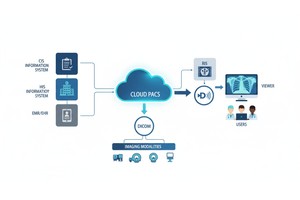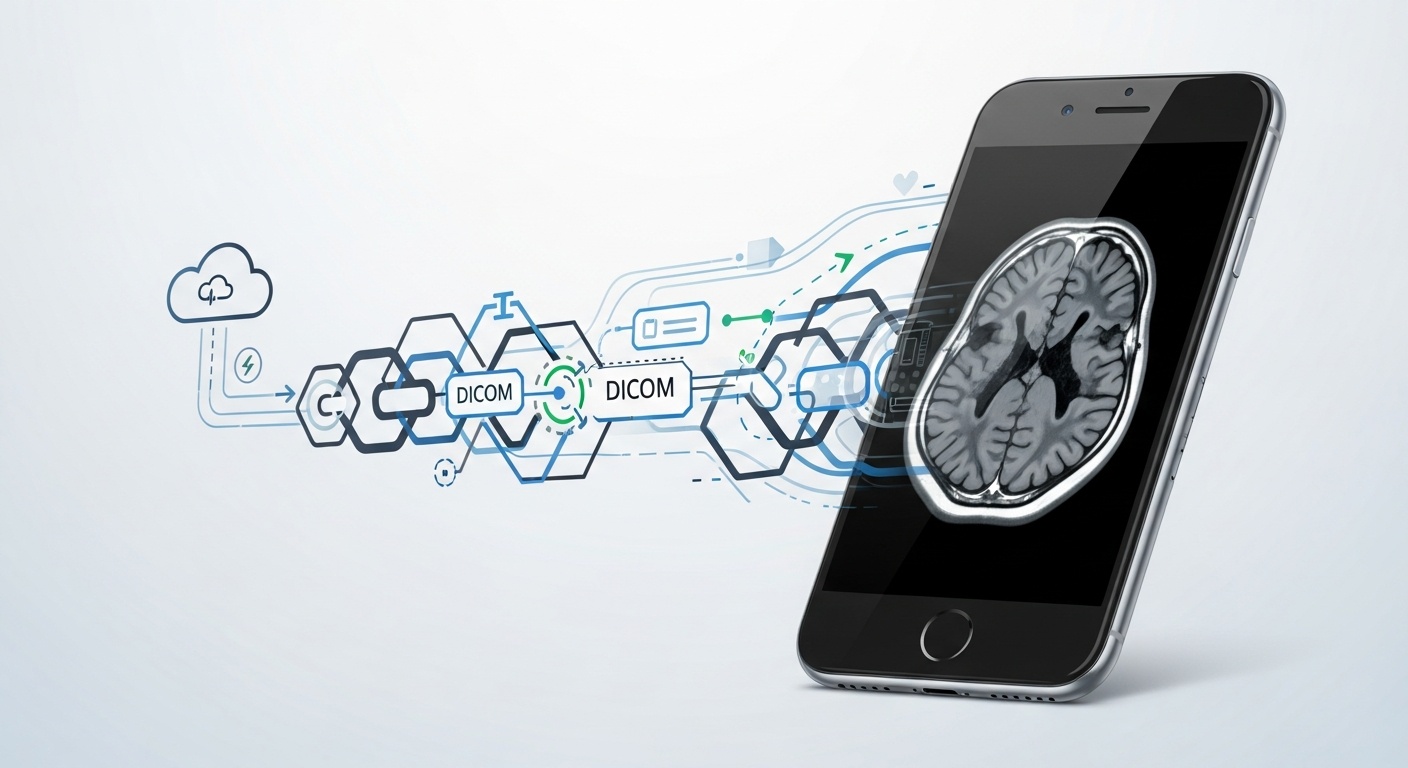
Medical imaging has become an integral part of healthcare, and DICOM (Digital Imaging and Communications in Medicine) is the global standard format for storing and transmitting medical images. If you are a healthcare professional, student, or even a patient trying to view your scan results, chances are you’ve encountered files with the extension .DCM. These are DICOM files, and while they are easy to open on desktop PACS workstations or specialized radiology software, many people struggle when trying to access them on an iPhone.
The good news is that with modern apps and cloud-based DICOM viewers, you can easily open and interact with DCM files directly on your iPhone. In this comprehensive guide, we’ll explore what DCM files are, why it can be tricky to open them on iOS, available solutions, step-by-step instructions, and how PostDICOM can simplify the entire process.
A DCM file is essentially a medical image stored in the DICOM format. Unlike typical image files like JPG or PNG, a DCM file contains not only the image but also rich metadata, including patient information, scan details, and medical notes. This makes it vital for accurate diagnosis and proper patient record-keeping.
Some examples of DICOM-based scans include:
• X-rays
• Ct Scans
• Mri Scans
• Ultrasounds
• Pet Scans
Because of this complexity, you cannot simply open a DCM file in your iPhone’s Photos app. You need a specialized DICOM viewer capable of decoding both the image and the metadata.
Unlike desktops where radiologists usually have PACS software pre-installed, iPhones are not natively equipped to open DICOM files. The main challenges include:
1. File Compatibility: iOS doesn’t support DICOM natively.
2. File Size: Medical scans can be large, especially high-resolution MRI or CT scans.
3. Metadata Handling: Unlike images, DICOM files include patient demographics and exam details that must be properly read.
4. Hipaa And Security Concerns: Any mobile app handling patient information must maintain high levels of data security.
These challenges have historically kept DICOM viewing tied to hospitals and specialized machines, but cloud computing and mobile health apps are changing this.
There are specialized apps available on the App Store that allow you to open DCM files directly on your iPhone. Examples include:
• Osirix Hd
• Horos Mobile
• Postdicom’s Cloud-based Viewer (accessible Via Browser)
These apps are designed to decode the DICOM standard, display high-quality images, and allow manipulation such as zooming, rotating, and adjusting contrast.
Instead of downloading large apps, you can use a cloud-based solution like PostDICOM. All you need is a web browser on your iPhone. You simply upload your DCM file to the PostDICOM platform, and it allows secure viewing, storage, and sharing from any device.
This method has advantages:
• No Storage Limitations On Your Phone
• Secure Hipaa-compliant Environment
• Ability To Share With Other Healthcare Professionals Instantly
Some people try to convert DCM files to JPG or PNG to view them in regular apps. While this may allow quick access to the image, it strips away the metadata, making it unsuitable for clinical purposes. This method should only be used if the images are for personal reference, not diagnosis.
1. Open Safari (or Your Preferred Iphone Browser).
2. Go To Postdicom’s Website.
3. Create A Free Account Or Log In If You Already Have One.
4. Upload Your Dcm Files Directly From Your Email Attachment, Cloud Storage (google Drive, Icloud, Dropbox), Or Local Storage.
5. Open The Uploaded File In Postdicom’s Viewer.
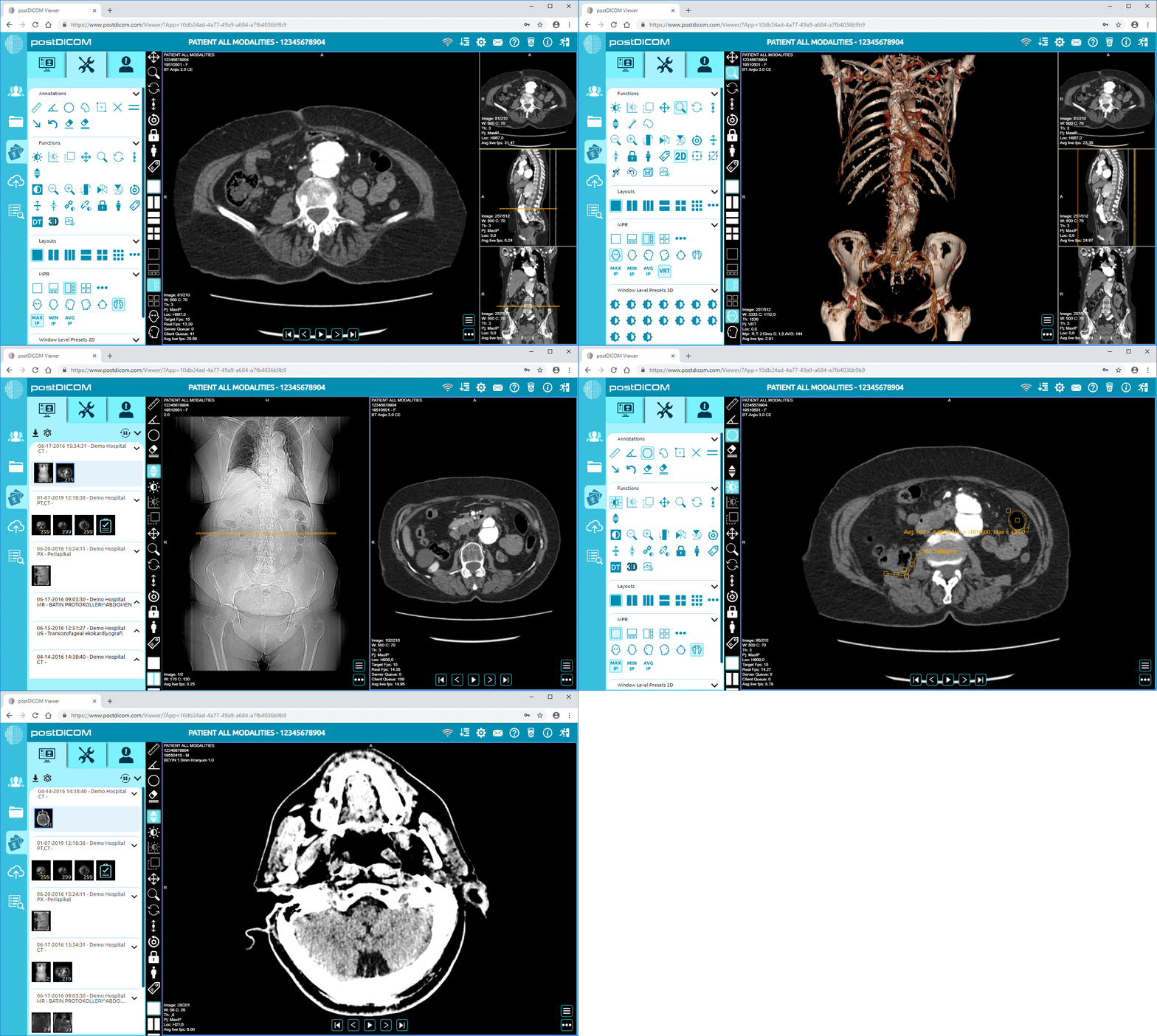
6. Use The Built-in Tools To Zoom, Adjust Brightness/contrast, And Analyze The Image.
With PostDICOM, there’s no need to worry about installing heavy apps or losing patient metadata. Everything is stored securely in the cloud and can be accessed at any time.
 - Created by PostDICOM.jpg)
1. Accessibility Anytime, Anywhereyou Can Access Your Medical Images From Anywhere In The World As Long As You Have An Internet Connection. This Is Ideal For Doctors On The Go Or Patients Seeking Easy Access To Their Reports.
2. No Storage Limitationsdcm Files Can Be Huge. Instead Of Clogging Up Your Iphone’s Memory, Postdicom Stores Them Safely In The Cloud.
3. Collaboration And Sharingdoctors Can Securely Share Dicom Images With Colleagues For Second Opinions. Patients Can Share Their Scans With New Healthcare Providers Without Carrying Cds Or Usb Drives.
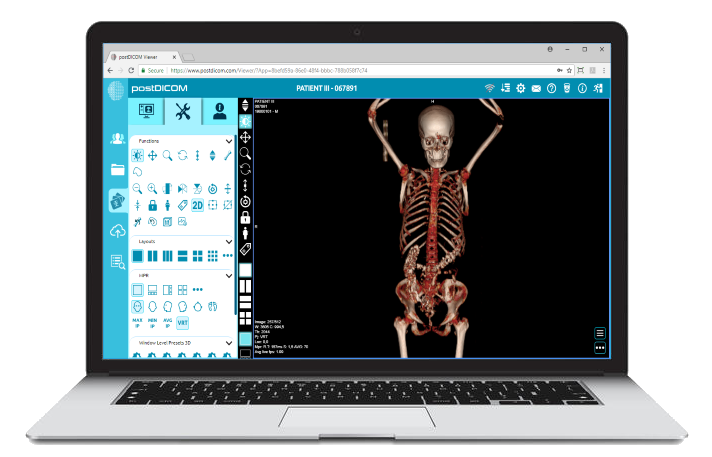
4. High-quality Image Viewingpostdicom’s Viewer Allows You To Manipulate The Images Just Like A Hospital Pacs System, Zoom, Pan, Rotate, Adjust Brightness, And Even View Multi-frame Ct/mri Slices.
5. Data Security And Compliancepostdicom Is Hipaa-compliant, Ensuring That Sensitive Patient Data Is Safe And Secure.
While PostDICOM is an excellent all-around solution, here are some alternatives:
• Osirix Hd: A popular mobile app for DICOM viewing, though more tailored for radiologists.
• Dicom Viewer Pro: Lightweight viewer with basic tools.
• Horos Mobile: Open-source solution with useful features.
Each has its pros and cons, but cloud-based platforms like PostDICOM stand out for ease of use, storage, and security.
1. File Not Openingensure You’re Using A Dedicated Dicom Viewer App Or Cloud Solution.verify That The File Hasn’t Been Corrupted During Transfer.
• Ensure You’re Using A Dedicated Dicom Viewer App Or Cloud Solution.
• Verify That The File Hasn’t Been Corrupted During Transfer.
2. Ensure You’re Using A Dedicated Dicom Viewer App Or Cloud Solution.
3. Verify That The File Hasn’t Been Corrupted During Transfer.
4. File Too Largeupload The File To A Cloud Viewer Instead Of Downloading It Directly To Your Iphone.
• Upload The File To A Cloud Viewer Instead Of Downloading It Directly To Your Iphone.
5. Upload The File To A Cloud Viewer Instead Of Downloading It Directly To Your Iphone.
6. Privacy Concernsalways Use Hipaa-compliant Solutions Like Postdicom When Dealing With Sensitive Data.
• Always Use Hipaa-compliant Solutions Like Postdicom When Dealing With Sensitive Data.
7. Always Use Hipaa-compliant Solutions Like Postdicom When Dealing With Sensitive Data.
As healthcare becomes increasingly digital and mobile-friendly, cloud-based solutions will likely replace traditional, bulky local PACS systems. They offer flexibility, security, and collaboration that fit perfectly into modern medical practice.
PostDICOM is at the forefront of this change, offering an accessible platform for patients, doctors, and institutions. You no longer need expensive hardware or dedicated workstations; your iPhone is now powerful enough when paired with cloud support.
Opening a DCM file on an iPhone doesn’t have to be complicated. Whether you’re a radiologist needing quick access on the go or a patient wanting to view your scans, solutions like PostDICOM make the process smooth and secure. With cloud-based access, you don’t just view images, you gain flexibility, collaboration, and peace of mind.
If you want a simple, secure, and robust way to view DCM files on your iPhone, PostDICOM is your best option.
Start today with PostDICOM’s free trial and see how easy DICOM viewing on iPhone can be.
|
Cloud PACS and Online DICOM ViewerUpload DICOM images and clinical documents to PostDICOM servers. Store, view, collaborate, and share your medical imaging files. |