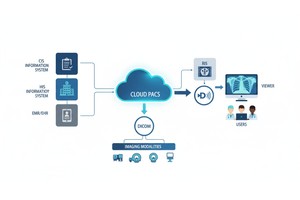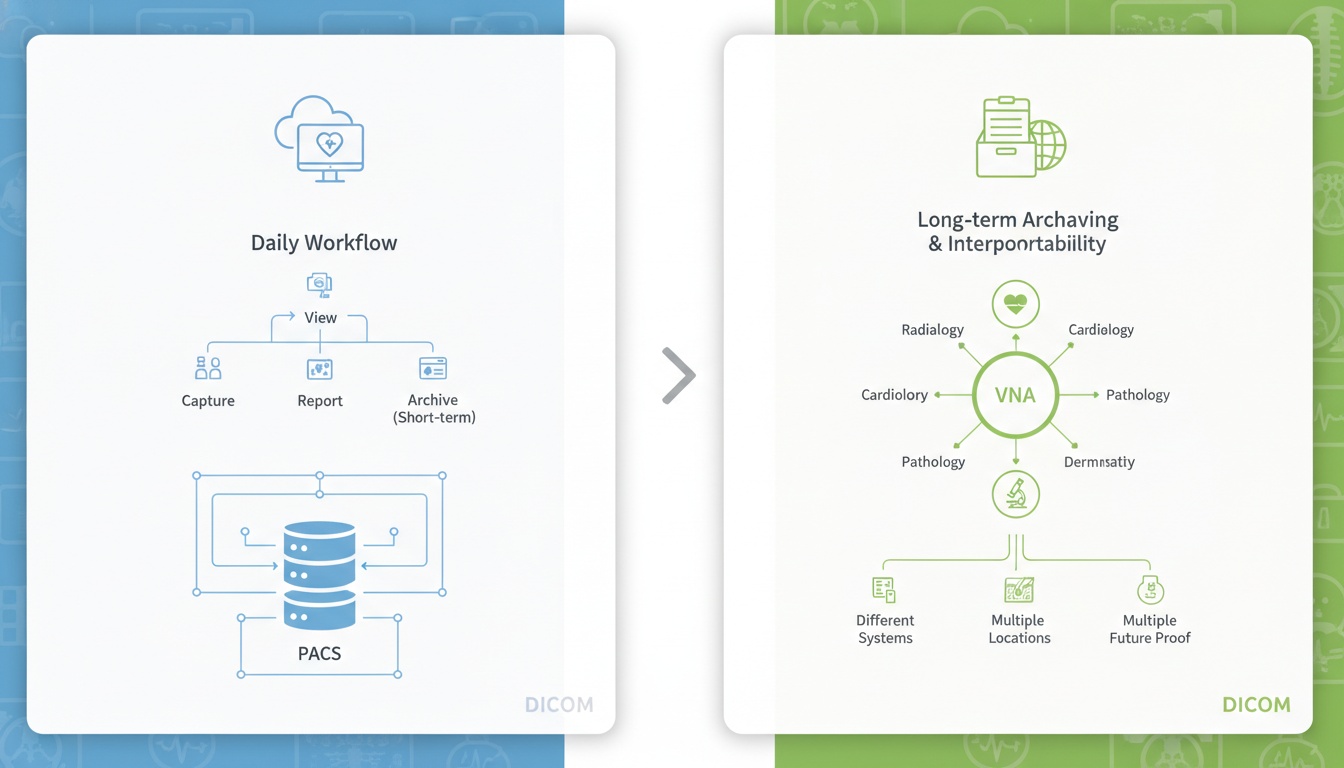
It can be difficult to determine which medical imaging infrastructure is the best option, particularly if you must weigh the options between PACS and VNA. Both systems can aid health care organizations in the management of imaging data, but for different purposes. PACS is primarily used for day-to-day imaging workflows, while VNA is for long-term image archiving in a vendor neutral format between departments, systems or locations.
By knowing the difference between PACS and VNA, clinics, imaging centers, hospitals and healthcare networks can select a solution that aligns with their workflow, storage requirements, interoperability needs and future infrastructure requirements.
Cloud PACS or PACS is ideal for daily imaging workflows like storing, viewing, retrieval, reporting and sharing diagnostic images. VNA is ideal for archiving for extended periods of time in a vendor neutral manner, across multiple departments, systems or healthcare sites.
Medical images generate large files, which are required to be secure, accessed rapidly, and shared with the relevant care team. All the imaging studies, such as CT scans, MRIs, X-rays, ultrasounds, mammography studies, etc., require a solid infrastructure to support them.
PACS (Picture Archiving and Communication System) is primarily employed to facilitate the use of imaging processes. It facilitates the storage, retrieval, viewing, distribution and reporting of medical images to healthcare providers.
VNA stands for Vendor Neutral Archive and it's primarily designed for long-term imaging data storage. It enables companies to store images in a vendor-independent manner, typically across departments, systems or locations.
The two systems are linked but not the same. PACS is workflow-focused. VNA is archive-focused.
| Factor | PACS | VNA |
| Main purpose | Imaging workflow, viewing, retrieval, and reporting | Long-term vendor-neutral image archiving |
| Best for | Clinics, imaging centers, radiology departments, smaller hospitals | Large hospitals, health systems, multi-site organizations |
| Primary users | Radiologists, physicians, imaging staff | IT teams, enterprise imaging teams, multiple departments |
| Scope | Often department-specific | Organization-wide or multi-site |
| Image viewing | Usually includes or connects to a DICOM viewer | Often requires integration with viewers or other systems |
| Interoperability | Connects with modalities, RIS, HIS, or EHR systems | Designed for broader cross-vendor data access |
| Vendor lock-in | Can be higher depending on the system | Lower, because vendor neutrality is the main goal |
| Cloud relevance | Cloud PACS can reduce local infrastructure needs | Cloud VNA may support enterprise archiving strategies |
PACS is typically more suited when the primary focus is for daily clinical imaging. Ideal for teams that require rapid study opening/curation, comparison of previous exams, report generation, and sharing of images with other clinicians.
PACS is a good option when:
• Your Imaging Workflow Is Mostly Within One Department Or Facility
• You Need Fast Access To Dicom Studies
• You Want Image Viewing, Reporting, And Retrieval In One Workflow
• You Do Not Need Enterprise-wide Archiving Yet
• You Want A Practical System Without Unnecessary Complexity
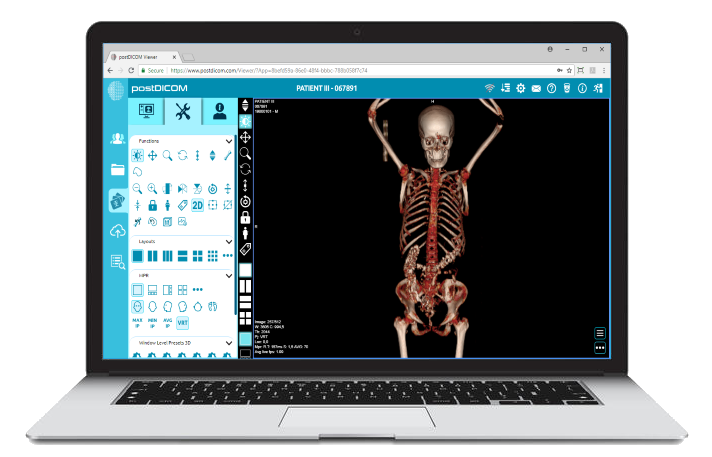
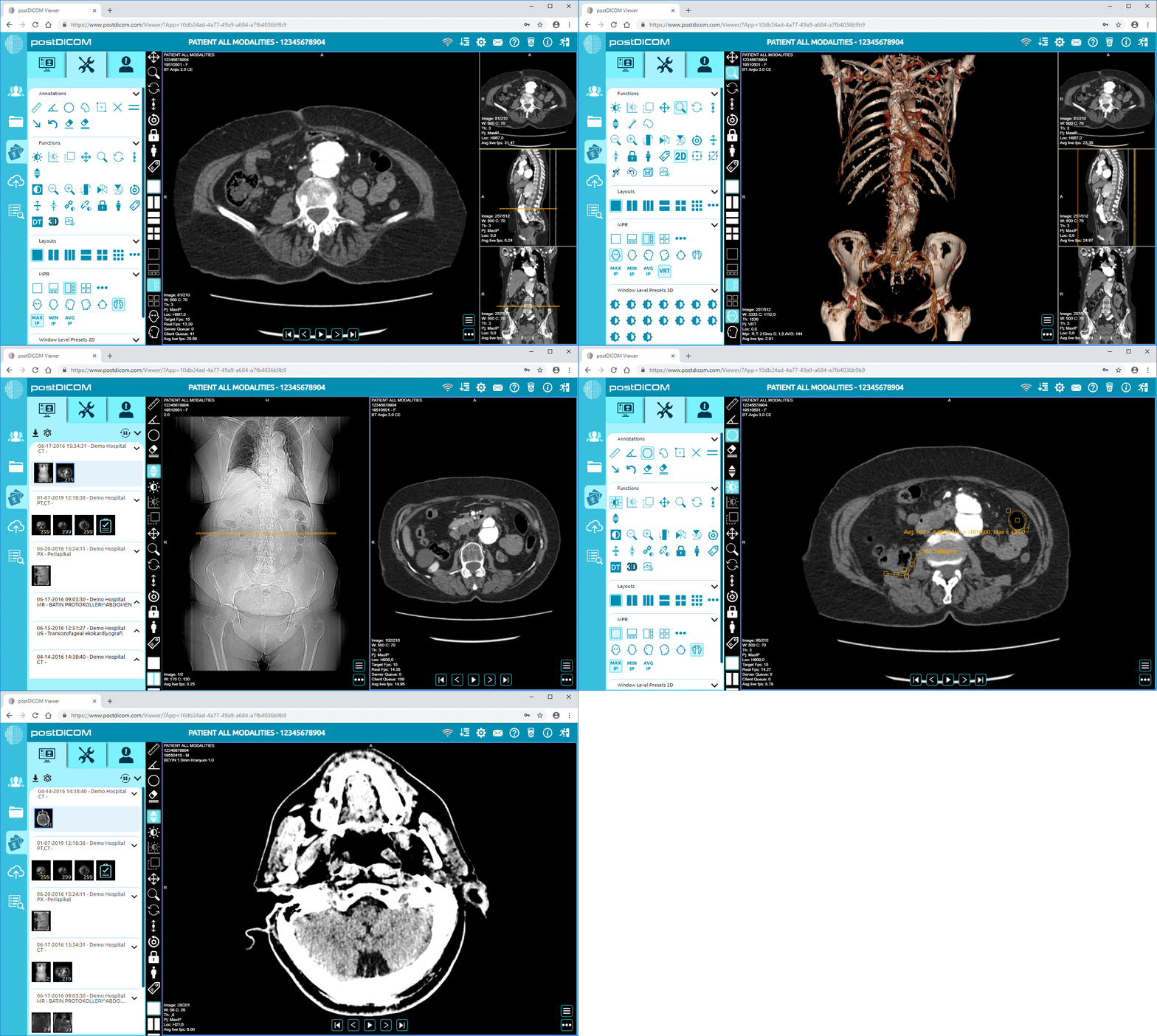
A PACS with flexible viewing options is particularly helpful. For instance, a Diagnostic DICOM Viewer can assist doctors to examine medical images without relying just on a hard-wired workstation.
PACS can be a good choice for small and mid-sized practices because of its usability, cost, and workflows.
VNA is typically the right solution if an organization is looking for centralized, long-term management of imaging data.
A large hospital or healthcare network could have various PACS systems throughout each of their departments, such as radiology, cardiology, orthopedics, or others. This could result in a fragmented archive over time. A VNA can facilitate the consolidation of imaging information and minimise reliance on a single vendor's system.
VNA is a good option to consider when:
• You Perform Management Of Imaging Data In Multiple Locations.
• You Are Using More Than One Pacs Vendor
• Long-term Storage Of Images Is Required.
• You Do Not Want To Become Locked Into A Vendor.
• Your Organization Is Developing An Enterprise Imaging Plan.
• You Will Need Simpler Migration To The Future Systems.
However, a full VNA might have more utility complexity than value for smaller practices. If storage, viewing, reporting and sharing of images is the primary requirement, then PACS might suffice.
Yes. PACS and VNA do not necessarily directly compete.
In most healthcare facilities, PACS is used for day-to-day image management and VNA for long-term vendor-neutral storage. The organization is leveraging VNA to enhance data control, retention, and migration flexibility, and radiologists and clinicians are still using PACS for image review and reporting.
This is typical in larger healthcare systems. Clinics, diagnostic centers or smaller hospitals may not need to use both, if imaging data is not distributed between different systems or locations.
Cloud PACS is a game-changer in the PACS vs. VNA debate because it provides practices with a solution to modernize imaging storage and access without supporting and maintaining extensive local infrastructure.
Medical images can be safely stored in the cloud and accessed from various locations with cloud PACS. This is good for practices that require flexibility, remote access, and improved collaboration, but don't need an enterprise VNA.
Cloud PACS can help with:
• Scalable Image Storage
• Remote Access To Studies
• Easier Collaboration Between Clinicians
• Reduced Local Server Maintenance
• Backup And Disaster Recovery Planning
• Faster Sharing With Patients Or Referring Physicians
Sharing is a major advantage. Rather than having to download CDs or DVDs, or manually transfer files between practices, patients can have access to studies and clinical documents more efficiently via medical image sharing.
For many imaging centers and clinics, cloud PACS may be a viable solution between the traditional PACS and more complex archive system.
 - Created by PostDICOM.jpg)
Whether you opt for PACS, VNA or cloud PACS, your imaging system should seamlessly integrate with your other healthcare systems.
The imaging modality, RIS, HIS, EHR or EMR systems, reporting tools, patient portals and external clinical applications are important integration points. API/FHIR integrations can help break away from data silos and simplify imaging data to be leveraged in connected workflows.
Security is likewise significant. Healthcare organizations should review encryption, user access, audit trails, backup plans and sharing protocols that ensure the sensitive patient information stored in medical imaging systems remain protected. It is advisable to consider important cloud PACS security factors before taking workflows to the cloud.
Organizations look at PACS, VNA, and cloud-based imaging solutions for various reasons, including vendor lock-in. When imaging data is not easily accessible for exportation or is tightly bound to a specific vendor, a system change later in the process can be costly and disruptive.
Before selecting a solution, ask the following question(s):
• Is It Possible To Export Data As Required?
• Are There Standard Imaging Formats Supported?
• Does It Have Linkages With Other Modalities And Clinical Systems?
• Are There Workflows That Will Be Affected By Migration?
• Is There A Scaling Solution For The System When The Volume Of Imaging Content Increases?
Planning for data integrity, user training, workflow continuity, and system integration is important when organizations are replacing their legacy infrastructure and want to migrate from on-premises to cloud PACS.
If you are primarily needing to view, retrieve, report, interact with images and use images daily, consider PACS. This is the most suitable option for clinics, imaging centers, and individual departments.
Use VNA when your organization requires permanent vendor neutral archiving in various systems, locations or departments. This tends to be more applicable with large healthcare networks and hospitals.
If you want scalable storage, remote access, secure sharing and less reliance on local servers, select cloud PACS. This can provide a good mixture of function and infrastructure simplicity for many modern practices.
PACS and VNA both address medical imaging infrastructure issues, albeit in distinct ways. PACS enhances clinicians' use of images. VNA enhances organization's imaging data archiving and control over time.
For a lot of medical practices, PACS or cloud PACS is the most convenient option. VNA may be required for larger healthcare systems as part of an overall enterprise imaging initiative. This depends on your imaging volume, workflow requirements, integration requirements, security needs and long-term growth plans.
Note: The information in this article is intended for use in infrastructure planning for imaging. Clinical workflows, diagnostics and compliance should be reviewed by experienced medical, technical and regulatory experts.
The main difference is that PACS can be used for daily imaging and VNA can be used for long-term Vendor Neutral Image Archiving. PACS is used for retrieval, reporting, viewing and sharing images. VNA is employed to consolidate the imaging data that's distributed across departments, vendors, or facilities.
No, in most cases not, as PACS is still required for the viewing, reporting and workflow management of images. In many hospitals, VNA is the back end, or long term archive, behind PACS.
VNA is not necessarily superior to PACS. PACS is more suitable for day-to-day imaging applications, and VNA is more suited to an enterprise-wide archiving and vendor-neutral data control solution.
Most small clinics do not require a full VNA if they are not handling imaging data across the multiple departments, systems or locations. Usually a PACS or cloud PACS would be more convenient.
Cloud PACS may be a choice for practices with the requirement for expandable storage, viewing, remote access and secure sharing without an intricate enterprise archive. Very large healthcare systems, however, might still require a VNA for long-term archiving between multiple systems with vendors.
|
Cloud PACS and Online DICOM ViewerUpload DICOM images and clinical documents to PostDICOM servers. Store, view, collaborate, and share your medical imaging files. |