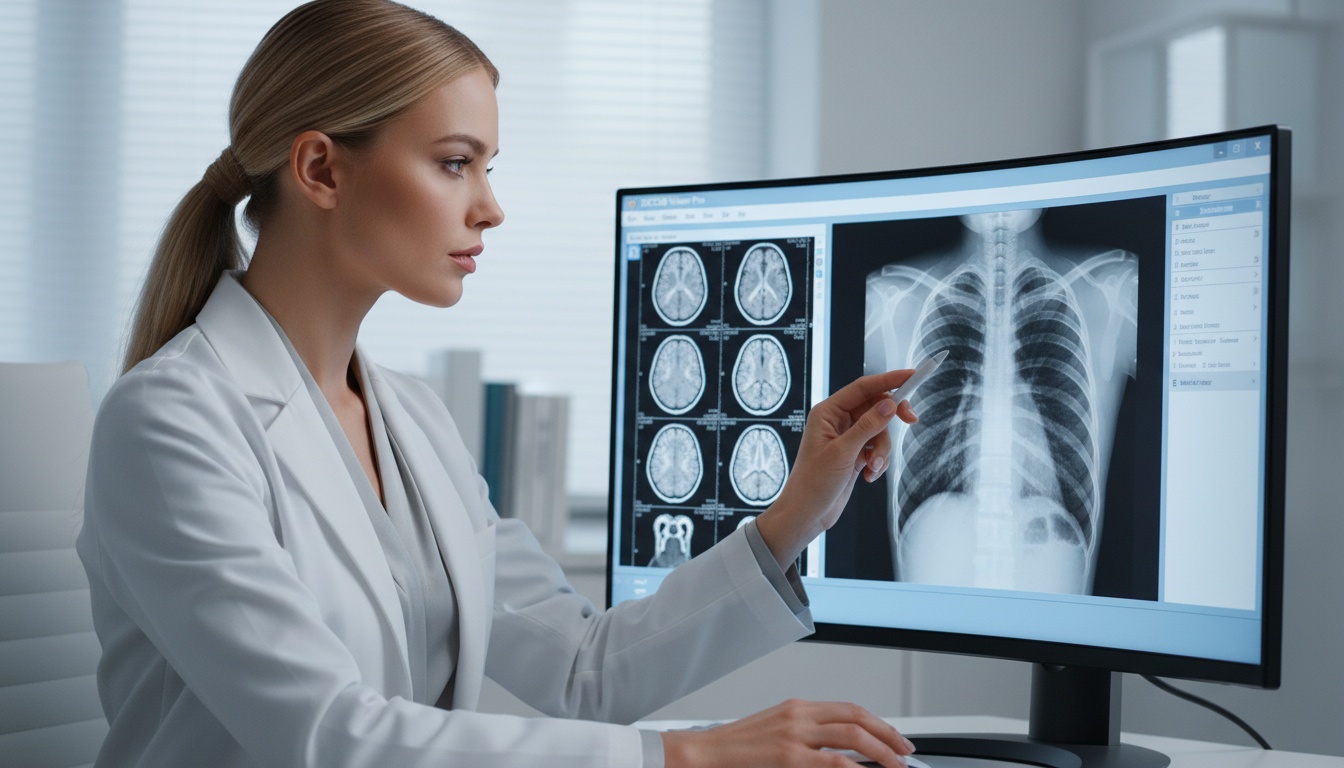
The selection of a DICOM viewer is no longer limited to opening medical images. Healthcare teams require access, reliable viewing, teamwork, and workflow integration. Studies should be reviewed efficiently by the right viewer without unnecessary technical complexity for radiologists, physicians, clinics, hospitals, and teaching teams.
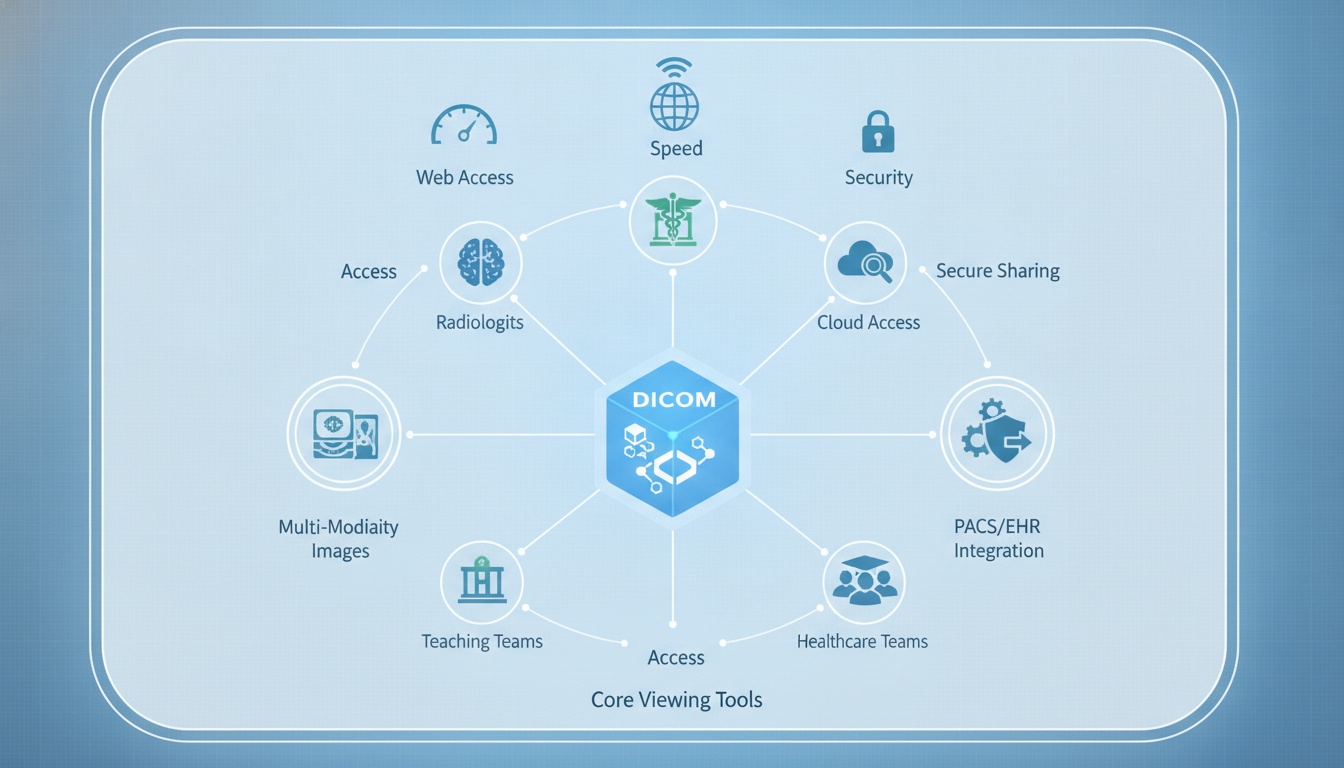
The ideal DICOM viewer features ease of use, security, speed, web access, and compatibility with standard imaging workflows. It should enable the following core viewing tools: multi-modality images, PACS and EHR integration, cloud access, and secure sharing.
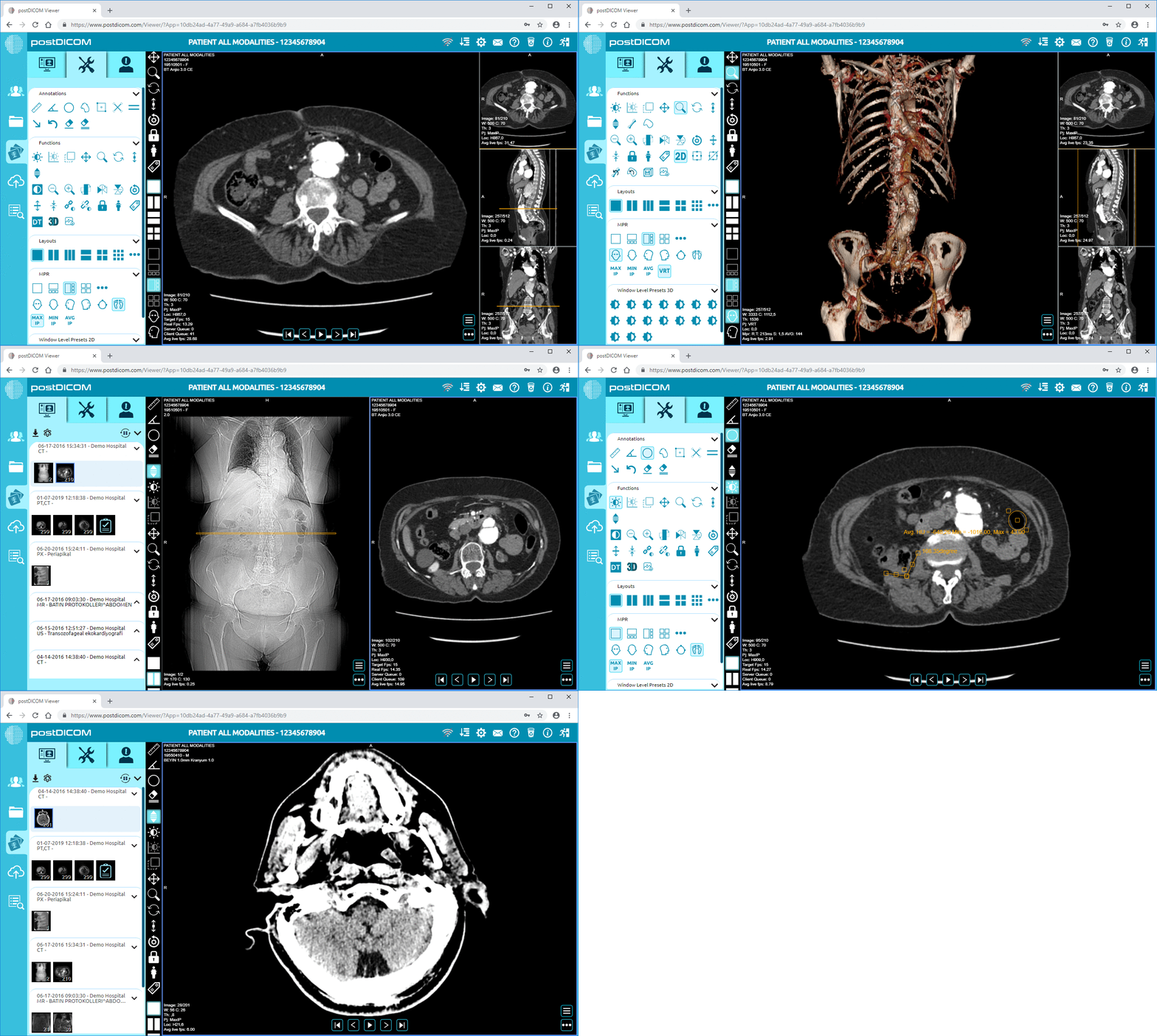
A Web-based DICOM viewer is particularly beneficial to current healthcare teams because authorized users can view studies from various locations without having to use CDs, local workstations, or installed desktop software.
A good DICOM viewer should enable a user to:
• Open And Review Dicom Studies Quickly
• Search Patients And Studies Easily
• Use Measurements, Annotations, And Viewing Tools
• Access Images Securely From Approved Devices
• Share Studies With Authorized Users
• Support Ct, Mri, X-ray, Ultrasound, Pet And Other Modalities
• Integrate With Pacs, Ehr, Ris Or Other Systems
It is useful to differentiate the basic viewing requirements from workflow-critical aspects when selecting a DICOM viewer. A viewer should be able to display DICOM files and be able to securely access, collaborate, review, integrate and be able to scale in the future.
A DICOM viewer should be easy to use but not too easy; it should be usable in clinical workflows. A clean user interface, which makes it easy to locate studies, launch images, manipulate views, and apply tools.
Check for rapid patient search, straightforward image layouts, smooth series switching, easy measurements, and successful loading of large imaging studies. Advanced tools will not be worth their value if the interface is slow to respond to the user.
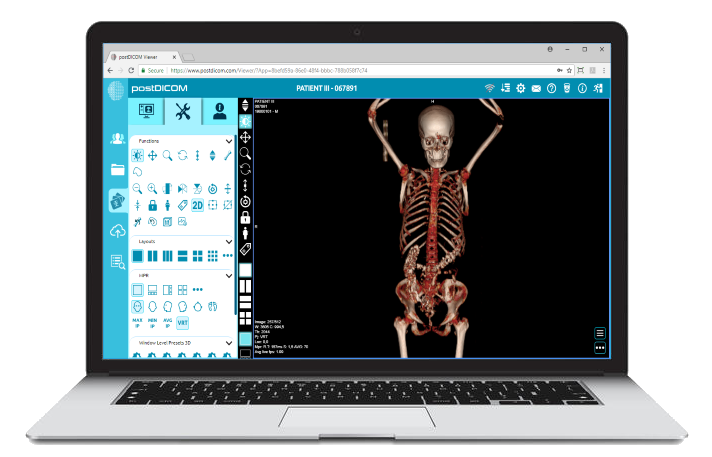
Image review is the main purpose of all DICOM viewers. The ideal viewer needs to offer common features like zoom, pan, window level adjustment, measurements, annotations, and side-by-side comparisons.
A Diagnostic DICOM Viewer can provide access to imaging studies for organizations that require a browser-based solution for image review, in addition to local desktop software.
Some of the useful viewing features are:
• Windowing And Leveling
• Measurement Tools
• Annotation Tools
• Prior Study Comparison
• Multi-planar Viewing When Needed
• 2d And 3d Viewing Options
The type of tool required depends on the organization's workflow, user roles, and the volume of images they are imaging.
Security is a major factor when buying medical images, as they may contain sensitive patient data. A DICOM viewer should be able to have secure login, access control, encrypted login, and controlled sharing of studies.
Purchasers should inquire about user role restrictions, the possibility of sharing studies with only approved users, tracking user activity, and the platform's ability to implement internal privacy and security policies.
Patient information must be secured, but not so secured that it becomes difficult for authorized users to access.
A lot of imagers operate in multiple sites. A web-based viewer enables access to studies via a browser, facilitating remote access, second opinions, teaching, and multi-site collaboration.
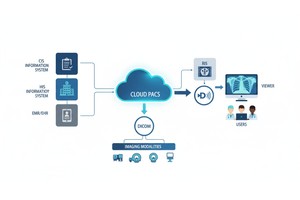
A cloud PACS can also help reduce reliance on CDs, USB drives, and workstations stored in one location by ensuring imaging studies are available through a central workflow in the cloud.
These benefits are particularly valuable for remote consultations, multi-location practices, centralized image storage, quicker study access, and scalable storage as imaging volume increases when it comes to cloud access.
A DICOM viewer should be a part of the clinical workflow. In hospitals, clinics, and imaging centers, there is a need for systems that are connected with PACS, EHR, RIS, or any other healthcare system.
For organizations requiring connected workflows, API/FHIR integrations can help to provide greater flexibility in the exchange of imaging systems with healthcare applications.
Integration minimizes duplicate steps and facilitates easy accessibility of imaging studies from related clinical workflows.
Collaboration should be supported by a modern DICOM viewer, not viewing. Imaging studies will frequently be shared with referring physicians, specialists, the patient, or outside reviewers.
An effective medical image sharing environment can help minimize the use of physical media and allow authorized users to have controlled access to medical images.
Collaborative functions that are useful include secure sharing of study, temporary study links, external viewers, second-opinion capabilities and image and clinical information sharing.
 - Created by PostDICOM.jpg)
| Feature | Why It Matters | Best For |
| Easy interface | Helps users find and review studies faster | Clinics, hospitals, imaging centers |
| Viewing tools | Supports measurements, annotations, and image review | Radiologists and physicians |
| Cloud access | Enables remote and multi-location viewing | Distributed teams |
| Secure sharing | Allows controlled access for outside users | Referrals and second opinions |
| PACS/EHR integration | Connects images with clinical workflows | Hospitals and larger practices |
| Multi-modality support | Handles CT, MRI, X-ray, ultrasound, PET, and more | Multi-specialty teams |
| Scalability | Supports more users, studies, and storage over time | Growing organizations |
Hospitals and imaging centers typically require sophisticated viewing applications, adequate security, integration capabilities, and scalable storage. For other departments, cloud access can enable them to view studies without relying on just one workstation.
Specialty clinics require a viewer that is easy to use, quick, and simple. When sharing studies with referring physicians or with external specialists, security sharing can be helpful.
To be effective, radiologists require consistent performance, comparing options, measurement capabilities, and the ability to view prior and/or new studies. Reporting workflows require speed and layout flexibility, particularly.
The ease of access to selected cases, anonymized studies, and examination of images with students and colleagues across locations may be required by teaching and research teams.
A web-based DICOM viewer might help make imaging more readily available by enabling approved users to load studies online via a secure gateway. Teams can study the research of supported devices with internet access, but can not install software onto each computer or send imaging CDs.
The typical workflow could be like this:
1. Imaging Study Uploads Or Storage In A Cloud-based System.
2. The Study Is Searched And Opened By Authorized Users.
3. Images Are Viewed By Physicians Or Radiologists With Viewer Tools.
4. Research Is Communicated Safely When Necessary.
5. Imaging Access Remains Integrated Into The Rest Of The Clinical Workflow.
This makes web-based DICOM viewing useful for teams that need to access images flexibly, share them under controlled conditions, and collaborate across departments and locations.
Note: A DICOM viewer supports image access and review, but clinical interpretation should always be performed by qualified healthcare professionals in accordance with local regulations and organizational policies.
Fast image loading, easy navigation, viewing tools, measurements, annotations, secure access, multi-modality support, and compatibility with imaging workflows should be present in a DICOM viewer. Having access to the cloud and secure sharing are also crucial for contemporary teams.
Accessing DICOM files remotely, collaborating on them, sharing securely, or using multi-location workflows is better suited to a web-based DICOM viewer. It can be useful to use a desktop viewer locally, but generally less so when working remotely with teams.
With access to the cloud, authorized personnel can access medical images without relying on any workstation or physical media. It can facilitate remote review, multi-site access, and facilitate easier collaboration.
A secure DICOM Viewer should include user authentication, role-based permissions, encrypted access, controlled sharing, and activity tracking. These features provide patient information protection and control of access.
Yes. Connecting PACS and EHRs can minimize manual interactions, facilitate image access, and enable care teams to collaborate in connected workflows.
|
Cloud PACS and Online DICOM ViewerUpload DICOM images and clinical documents to PostDICOM servers. Store, view, collaborate, and share your medical imaging files. |